Showing posts with label mobile. Show all posts

Thursday, 19 April 2012

Easycabs Mobile App Will Now Offer Real-time Monitoring Of Booked Cabs


CIPL today announced the Mobile Application suite wherein the customers will now be able to track the location of their booked cabs via real-time monitoring and will also have the option of getting live traffic information once they book a car on the Easycabs Mobile Application.
Easycabs Mobile App Will Now Offer Real-time Monitoring Of Booked Cabs
The other imperative feature is live updates on traffic. The feature Powered by the Traffic information provider Traffline.com will facilitate the Easycabs customer with the traffic situation on their way enabling them to sketch out a different route to surpass the traffic chaos, if any.

This is yet another pioneering initiative from the company addressing the busy schedules and lifestyles of its customers. Moreover, with increasing traffic jams and prolonged travel time due to such jams, this feature will certainly be of great help for the customers.
The EasyCabs mobile application feature is available for service to customers in Delhi-NCR, Mumbai, Hyderabad and Bengaluru.

Saturday, 3 March 2012

|| 5 Smart Tricks To Buy A Good Smartphone ||

Smartphone market is exploding in India these days and so are online stores selling them at cut-edge prices.Inboxes are flooded
with mouth-watering deals which sometimes sound too good to be true.While most of them are tricks to clear old stocks,some of them may give you a good value for the money.Below are few tricks which you should follow before going after any such offers.


1.Check which Operating System and Version does it use
Android-Donot take any smartphone having OS less than Android  


2.0.For your information Android 4.0 is already in market so it is advisable to go for the most updated version.
Windows Mobile is outdated and has been replaced by Windows Phone.Never ever take any smartphone offering you any damn version of Windows Mobile.

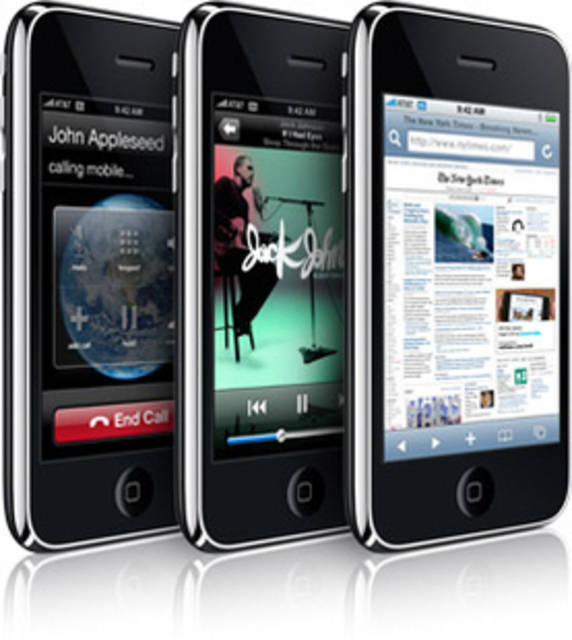
Iphone-iPhone 4S is out and Apple is looking forward to iPhone 5.The only leagacy versions supported by Apple are iPhone 4 and iPhone 3GS.Donot take any other versions of iPhone.


2.Below are the minimum standard hardware requirements as of today for a good smartphone
600 MHz Processor
256 MB RAM
3G Compatible
Wifi Enabled
2 MP Camera.


3.Make sure that the model you are purchasing is not too old.Donot take any model which was launced more than 3years back unless you are ready to compromise with money,user-experience and security.
4.Compare the prices online from different stores.Also read the review of the users who already purchased it.Never
take anything which has bad review.Remember no body writes bad for anything unless he is highly disappointed.

5.For the complete and detailed technical specifications always go to the manufacturer’s website rather than trusting the store-keeper or the online store where you are placing the order.

Wednesday, 22 February 2012

HDFC Bank and Visa To Transform Mobile Payments Services in India


Movida, a mobile payments joint venture backed by VISA and Monitise, has signed an agreement with HDFC Bank to introduce all new and a first of its kind mobile payment service.
The new service allows HDFC Bank customers to pay bills, top up prepaid airtime and buy tickets from their mobile phone and is designed to operate across all mobile networks using any Visa or non-Visa branded payment account.
It can be used by any mobile subscriber, anywhere and accessed by even the most basic mobile phone as well as high end smartphones.
The new service uses menu-based USSD mobile technology making it one of the easiest services to use and the most widely available. After linking their HDFC Bank Visa or non-Visa payment card to their mobile phone number, cardholders can access the service via USSD over Movida’s secure connection right from their mobile phone.
From then on it is just a matter of selecting the payment service require and making the payment. The simple menu on mobile phone can complete a transaction in only a few steps.

And not only is the service simple, it’s secure and backed by two of the world’s most trusted brands in electronic and mobile payments. The system encompasses various security measures to maintain account integrity, including a unique PIN number set up on the phone to access the account information. Only the user’s bank-registered phone can be connected to the service.

Sunday, 29 January 2012

How To Track Lost Mobile

Now a days each one of us carry mobile devices and always fear that it may be stolen. Did you ever lost your mobile and found no help from police or mobile operator in mobile tracking? Well now you don’t need to be worried about it. Each mobile carries a unique IMEI i.e International Mobile Equipment Identity Number, which can be used to track your mobile anywhere in the world.
This is how it works!!!
  1. Dial *#06# from your mobile.
  2. Your mobile shows a unique 15 digit.
  3. Note down this no anywhere but except your mobile as this is the no which will help trace your mobile in case of a theft.
  4. Once stolen you just have to mail this 15 digit IMEI no. to cop@vsnl.net
  5. No need to go to police.
  6. Your Mobile will be traced within next 24 hrs via a complex system of GPRS and internet.
  7. You will find where your hand set is being operated even in case your no is being changed.
PASS ON THIS VERY IMPORTANT MESSAGE TO ALL YOUR FRIENDS AND RELATIVES.
If you lost your mobile, send an e-mail to cop@vsnl.net with the following info.
Your name:
Address:
Phone model:
Make:
Last used No.:
E-mail for communication:
Missed date:
IMEI No.:
Note: The owner must report to their local operator with the IMEI no, the local operator will block the device. Once IMEI is blacklisted, the cell will not respond to any service provider network. Even if you receive your cell, it is very difficult to reactivate it.

Friday, 13 January 2012

Lookout Security & Antivirus v6.6 Apk 2011-

Lookout Security & Antivirus v6.6 Apk | 2.6 MB | Mediafire Download
Requires Android:1.5 and up
Protect your phone with award-winning security & antivirus from Lookout .Protect Your phone. Get Lookout for FREE Antivirus, Phone Locator, Data Backup and more!

Lookout is the #1 Security & Antivirus App for Android. Over 10,000,000 users trust Lookout to protect their phones.
* CNET ‘Must-have app!’, PCWorld ‘5 out of 5 Stars!’, TechCrunch ‘Top 10 Best Free Apps’ * 
Note: If you’re on Android (Froyo) 2.2+ and have trouble uninstalling, go to Settings -> Location & Security -> Select Device Administrators and uncheck Lookout. Contact us at support-at-mylookout.com if you have questions. 


FREE FEATURES
Security:* Antivirus: Block malware, spyware, and trojans
* Scan each app you download to make sure it is safe
* Schedule daily or weekly scans. Get automatic, over-the-air, protection against the latest threats
Find My Phone:
* Locate your lost or stolen phone on a Google map even if GPS is turned off!
* Activate a loud alarm, even if your phone’s on silent.
* Log in to myLookout.com to locate your phone from any web browser, anywhere!
Backup & Restore:
* Securely backup your contacts to myLookout.com
* Restore them to an existing phone.

What's in this version:
Improved scan performance and memory footprint
New In-App Billing for annual subscription to Lookout Premium
Improvements to Safe Browsing (Premium feature)

Saturday, 24 December 2011

4 Ways to Make Your Android Device Feel New Again


Most people keep a phone for nearly two years. Unless you’re keeping things fresh, you’re likely to get a bit bored with the look and feel of your phone. And while you can’t change the hardware, you can surely change the software.
Here are four ways to make your Android feel new again, in order of easiest to most difficult :

Change your wallpaper :

This might seem obvious, but it’s amazing how much of a difference a change of wallpaper will make to your experience. Most devices let you change the lock screen wallpaper independently of the home screen, so you can get even more variety by making them different.
Our reccomendations? If you like Live Wallpapers, try FireworksKoi, or Super Mario. All are free.
If your battery life is on the fritz and you don’t want to toll your CPU with animated backgrounds, tryBackgrounds HD for a huge selection of high-resolution static images.

Change your lockscreen :


If the “slide to unlock” function on your homescreen is feeling a bit stale, check out WidgetLocker to increase the functionality of your homescreen. This app is well worth the the $2 pricetag, as it gives you endless flexibility to make your homescreen functional. You can add widgets, place multiple sliders to quickly launch your favorite apps, and more.

Change your launcher :


Android is unique in that you can install a third-party launcher to change your home screen interface entirely. Don’t like HTC Sense, MotoBLUR, or TouchWiz? Try either LauncherPro or ADW Launcher EX. These apps let you set custom gestures for dock icons, apply visual styles to your application tray, and lots more.

Change your ROM :

At the end of the day, your phone is only as good as its core software. Thankfully, there’s a huge selection of third-party ROMs available from the development community that can increase your battery life, improve deviceperformance, and drastically change the look and feel of every screen. For example, I’m currently runningVillainROM on my Galaxy S II, which has improved my battery life by around 20%. Another popular ROM series is MIUI, which transforms your Android in what appears to be a totally different operating system.
To load a custom ROM, you must root your device and install a custom bootloader. To do this, allocate at least an hour of time to make it happen, as rooting often involves running through a handful of steps. Check out the development forum for your device over at XDA; you’re likely to find a sticky thread with instructions on how to get started.
You might also like:

Thursday, 22 December 2011

Download Premium PSP Games for Free


At last I bought a sony PSP and it's always in my hand. I never thought the games were so amazing like real pc games. So I took an effort to collect some top quality premium psp games for free downloading.Just download and enjoy. Comment if any link is broken.

Wednesday, 14 December 2011

Download Game Angry Birds for Nokia 5800, N97, 5530, X6, 5235 and N8


Use the unique destructive powers of the Angry Birds to lay waste to the pigs’ fortified castles. Angry Birds features hours of gameplay, challenging physics-based castle demolition, and lots of replay value. Each of the 120 levels requires logic, skill, and brute force to crush the enemy. Following is the video showing this game in action. The gameplay shown in the video may vary in various mobile platforms.


Angry Birds is a very addictive game that you can play for hours. The graphics are awesome and sound is too good. The game is designed in such a way that it appeals to gamers of all age. The game is already very popular on iPhone and iPod and now Symbian users can enjoy this game on their mobiles.


The Java version of this game works with Symbian^3 and Symbian S605th touch screen mobiles such as Nokia N8, 5800 XpressMusic, N97, N97 Mini, X6, 5230, 5233, 5235, 5228 and 5530 XpressMusic. There are two game modes available: Campaign and Quick Play.The game supports multiple languages: English, Francais, Espanol, Italiano and Deutsch. Get the version 0.0.1 of this nice game now. 


Game Angry Birds for Nokia 5800 XpressMusic and N97 (2.5 MB)

Monday, 12 December 2011

Nokia E72 Review: Quirky QWERTY Smartphone - Rewiew


The E72 is a little rough around the edges.
I picked up a Nokia E72 for an upcoming trip to Japan. Here are my thoughts on this Blackberry-ish smartphone.
As you might have noticed, the E72 is a QWERTY-packing smartphone in the same vein as the Blackberry. It’s not as wide as a Blackberry, but it’s super sleek and definitely thinner. It doesn’t feel cheap, either: like the E71, its predecessor, the back plate is entirely metal. But unlike the E71, the E72 has some nice brushed-steel accents that give it a trendy look.

Software

OS and UI
The Nokia E72 runs Symbian v3, an operating system that has been fairly rock solid over the ages but is a little dated now. The E72 is not, however, as rock solid as I would have liked. I’m currently using the latest firmware for my region (22.007), yet I’ve had a decent number of random reboots ever since I got the phone. And they always crop up at the worst times, too.

Performance
Under the E72′s hood, there’s a 600 mhz ARM11 processor. It’s quick, and the phone handles multiple applications and transitions well. Lag is rare.

Hardware

Keyboard
The E72′s keyboard is, like most Nokia keyboards, hit and miss. It has some of the best feeling (tactile) buttons that I’ve used, and typing on it can be extremely quick. But the buttons are small – really small, and I find myself accidentally hitting multiple keys or the wrong keys, and generally making far more mistakes because of it. I have about average size hands. If your hands are larger, I wouldn’t even consider the E72. Sorry, it’s just not going to work out.
The key layout isn’t as much of an issue, it’s just a little different. Nokia dropped the backspace key directly underneath the P key, and the Enter key under that. It takes a little getting used to.
I find that I hit the one-touch keys (the Home, Calendar, Contacts, and Messaging buttons) by mistake when hitting either of the two soft keys. Might just be me.
Battery Life
Pretty amazing. The battery (1500 mAh lithium-ion) is one tough cookie. During the past two weeks, I’ve pushed my E72 to its limits, with the GPS/phone/browser/ZXreader on constantly. I’ve also had to reboot the phone a couple of times a day (more on this later). The E72 eats all of this for breakfast, and the battery is the phone’s ace-in-the-hole.

Conclusion

Overall, I have to say I really like the Nokia E72. It’s thin, very pocketable, does everything I need it to do, and lasts longer than any other phone out there. I always used to say that I would never carry around a Blackberry (or Blackberry-ish device in this case), but the E72′s made me change my mind.
Best of all, the price is very reasonable – one recent deal at Dell pegged the price at $245 shipped for a new E72. For a smartphone of this caliber, I’d say that’s pretty damn good.

                                                    BUY NOKIA E72 (CHEAP PRICE)